BIM Workflow Standardization & Revit Template Optimization
Executive Summary
Focused on overhauling an inefficient, multi-file BIM workflow by consolidating Architectural and Electrical disciplines into a single, highly optimized Revit template. This eliminated redundant processes, drastically reduced model weight, and established a clean, intuitive project browser organization.
The Challenge
Previously, the design workflow required working across two separate templates:
- Architectural designers modeled the core geometry in one template.
- Models were linked into a separate Electrical template for lighting, data, and power elements.
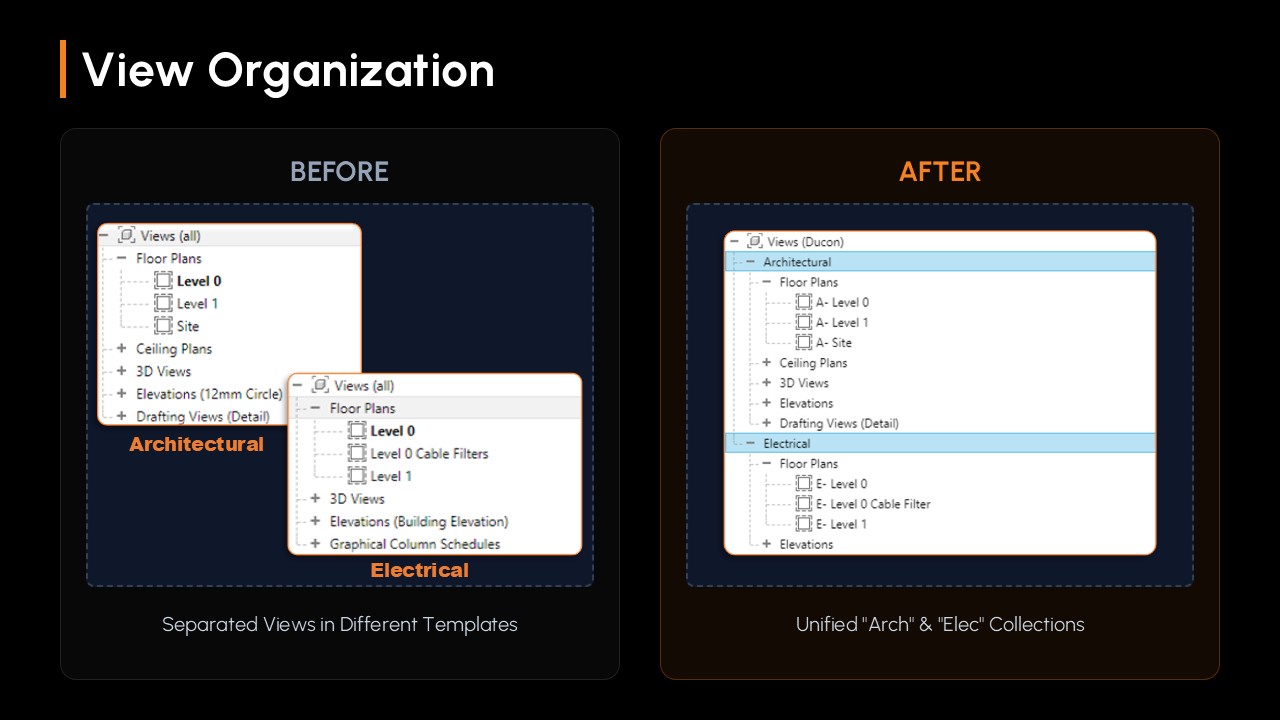
This disconnected workflow led to duplicated efforts, a fragmented Project Browser, and a severely bloated Revit family library that utilized entirely separate files for minor variations of the same asset.
Role & Skills
Role: BIM Coordinator / Revit Specialist
Skills: Revit Template Creation, Project Browser Organization, Parametric Family Creation, BIM Library Optimization, Cross-Discipline Integration.
The Solution & Implementation
1. Unified Multidisciplinary Template
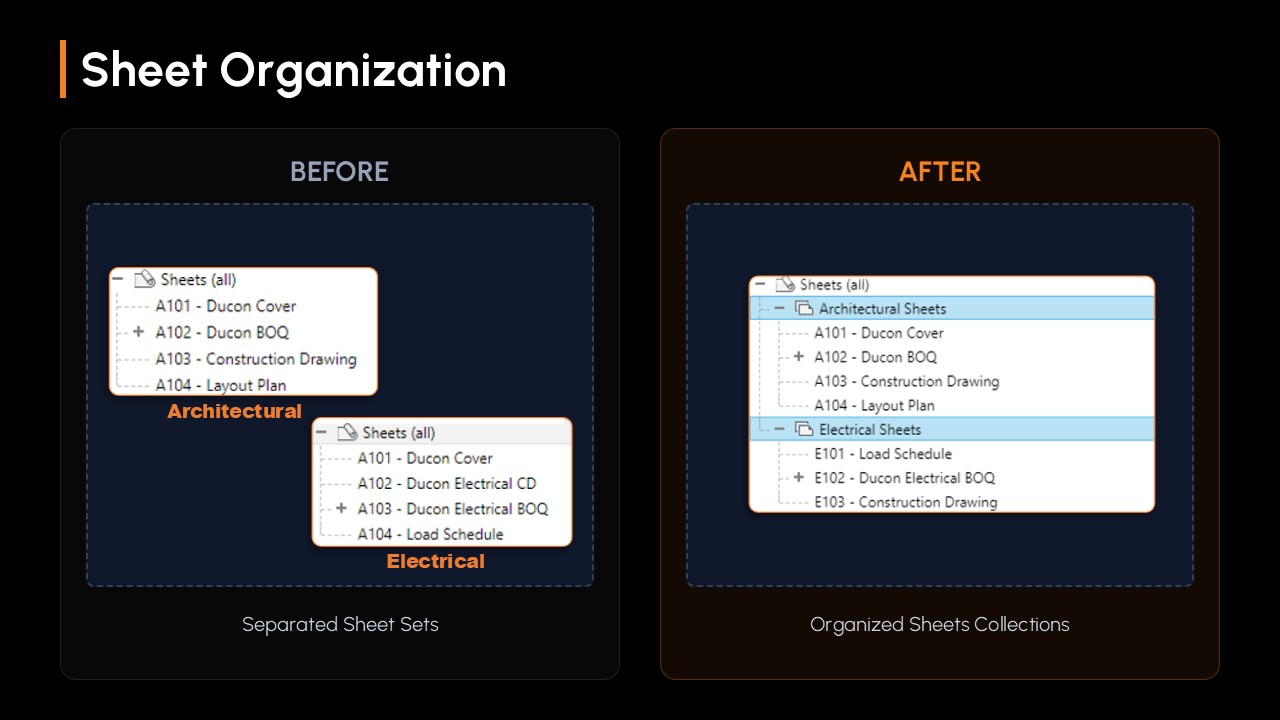
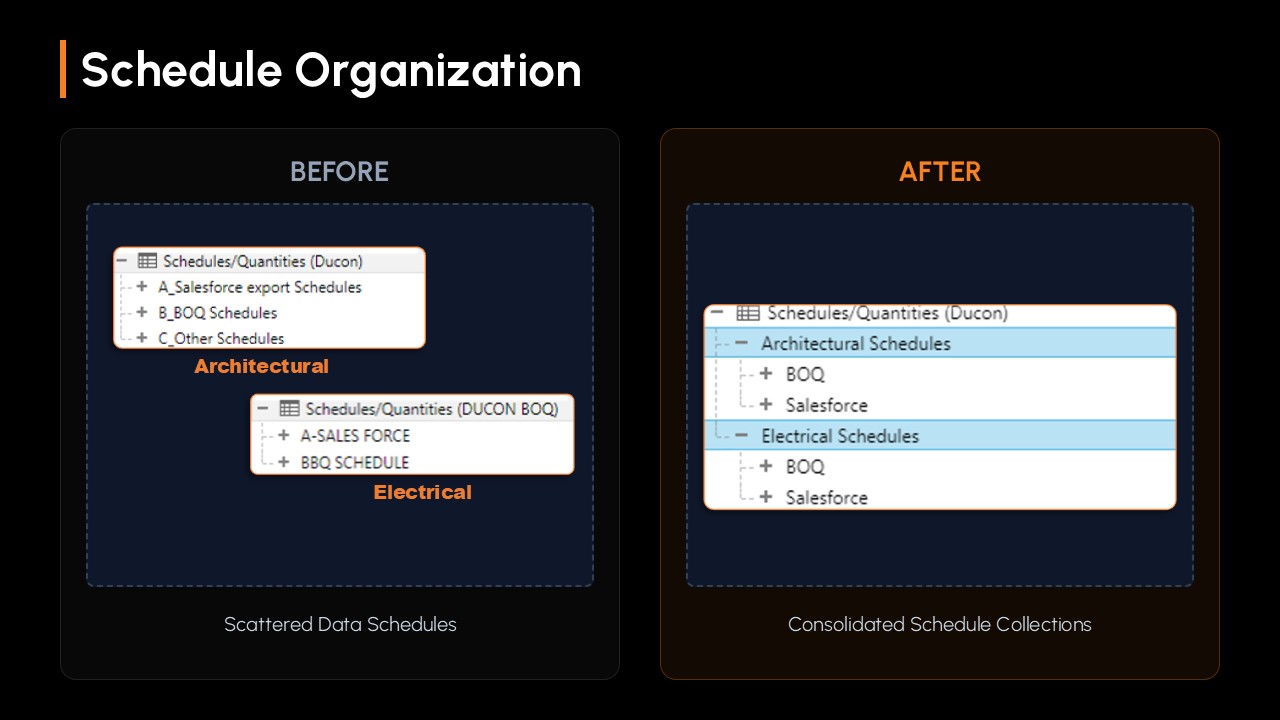
Merged Architectural and Electrical templates into a single cohesive environment. Engineered a custom Browser Organization system based on Discipline parameters to prevent clutter, systematically sorting Views, Schedules, and Sheets.
2. Radical Library Optimization
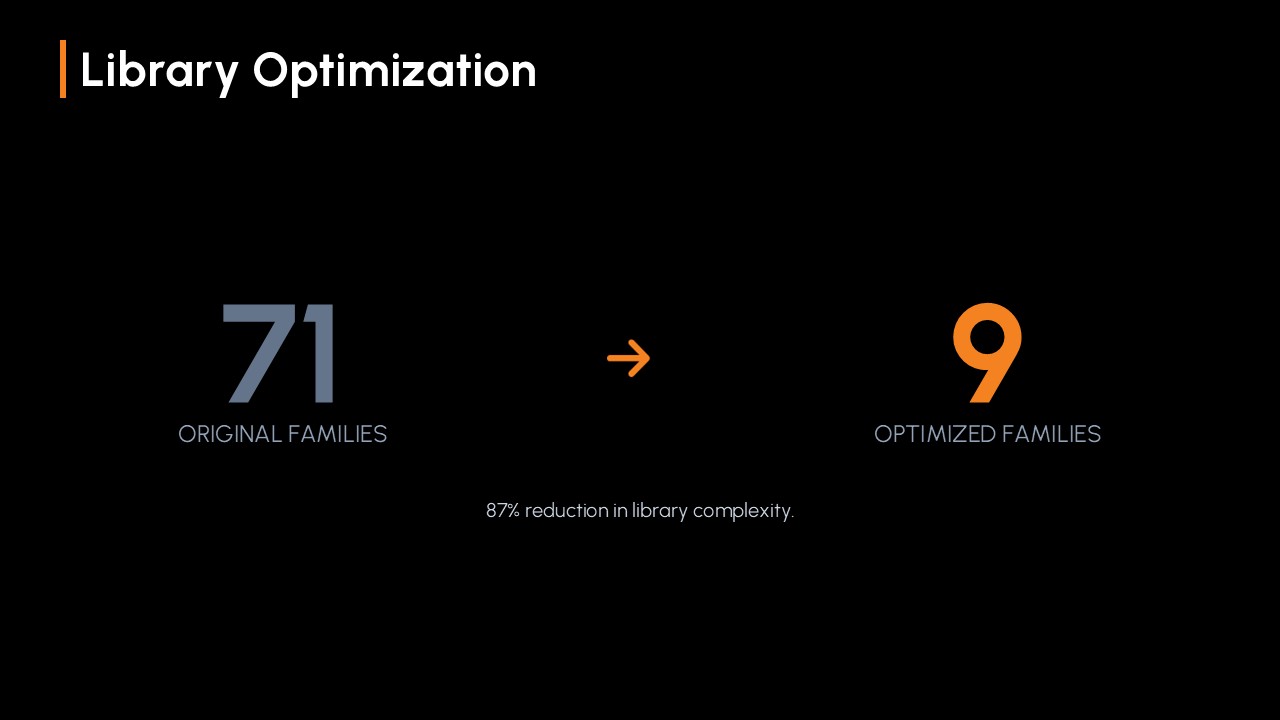
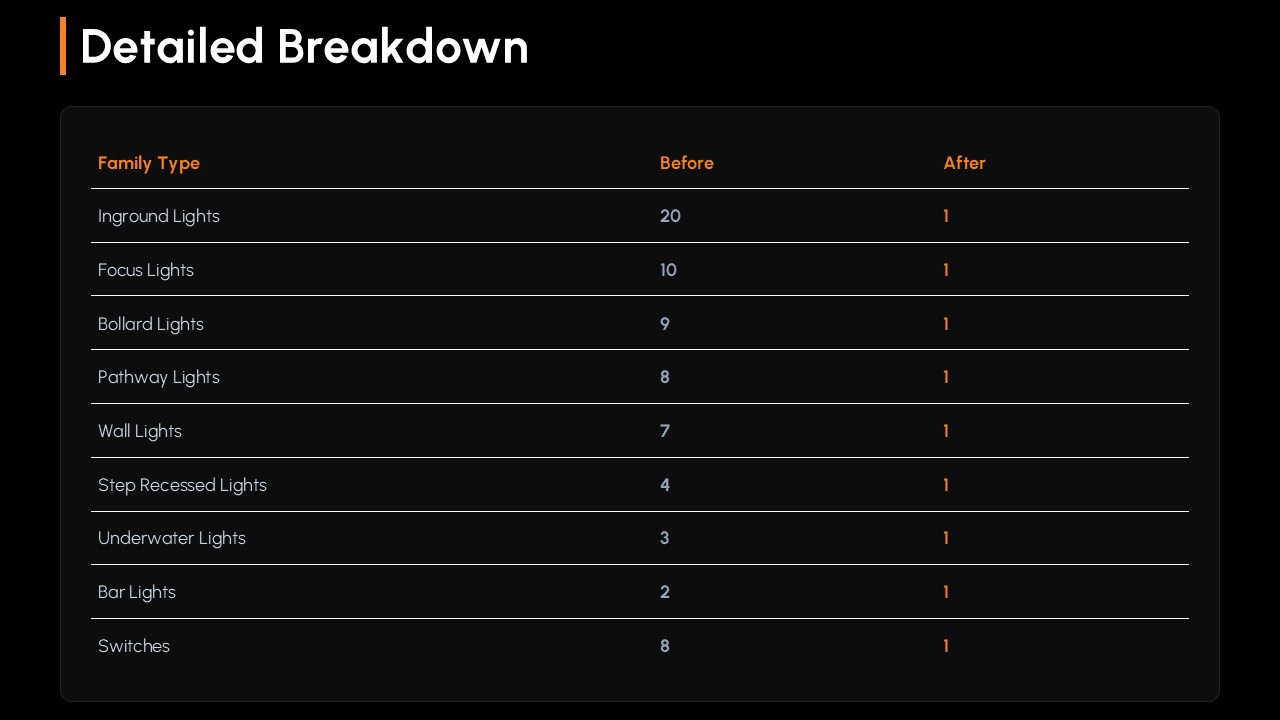
Achieved an 87% reduction in library complexity by converting dozens of static families into parametric ones. Streamlined 71 original families down to just 9 optimized families (e.g., 20 Inground Lights to 1).
3. Advanced Parametric Family Development
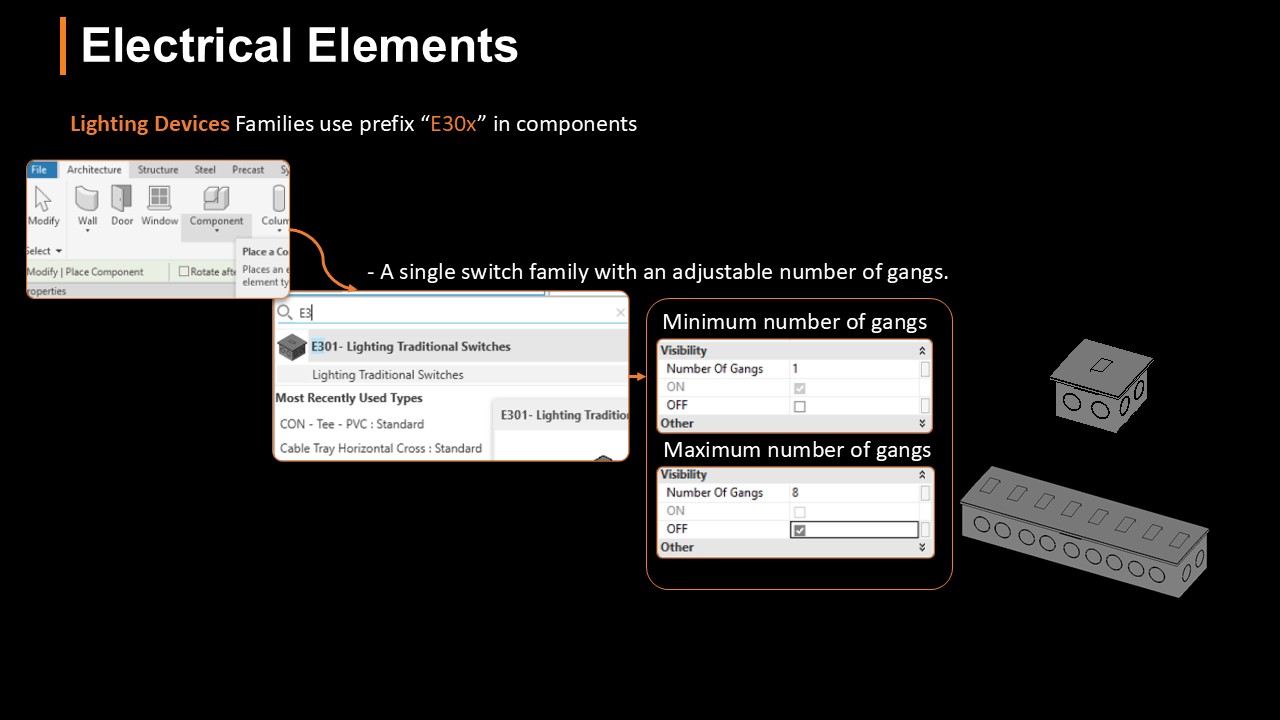
Utilized visibility graphics and parametric arrays to build flexible assets. For example, a "Smart Switch" family with an adjustable "Number of Gangs" parameter toggles visibility from 1 to 8 gangs within the same element.
4. Standardized Naming Convention
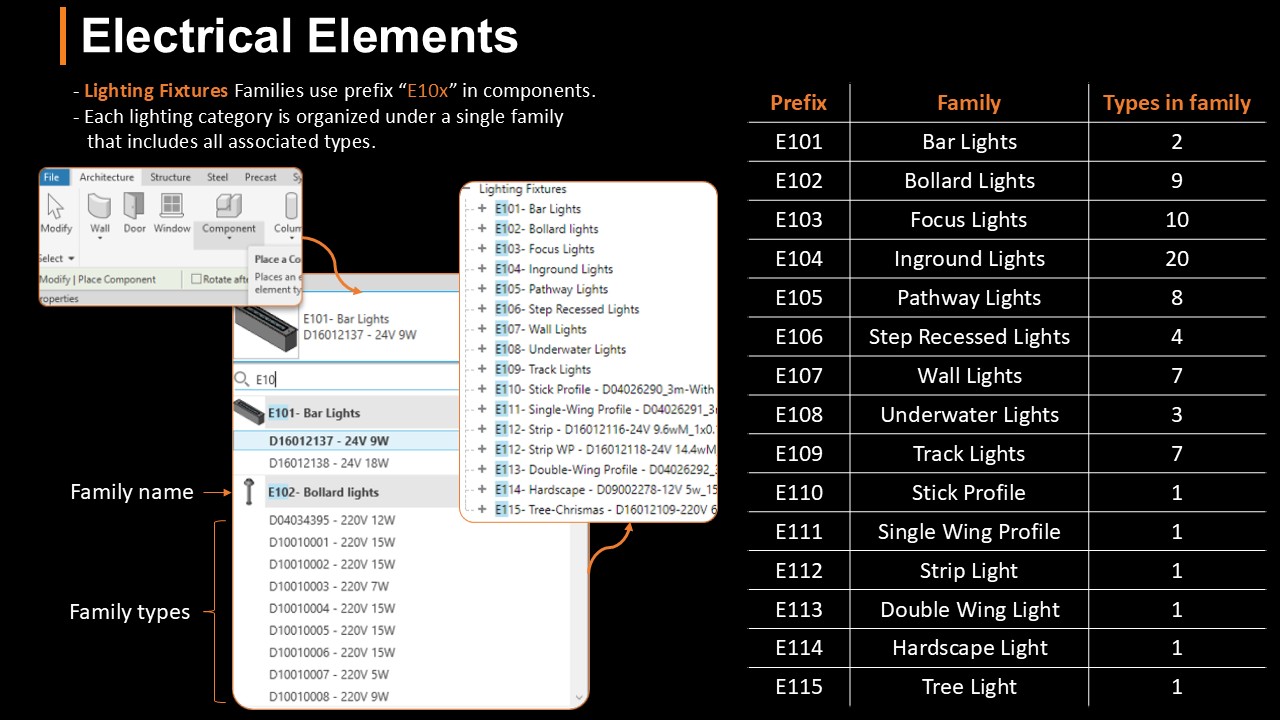
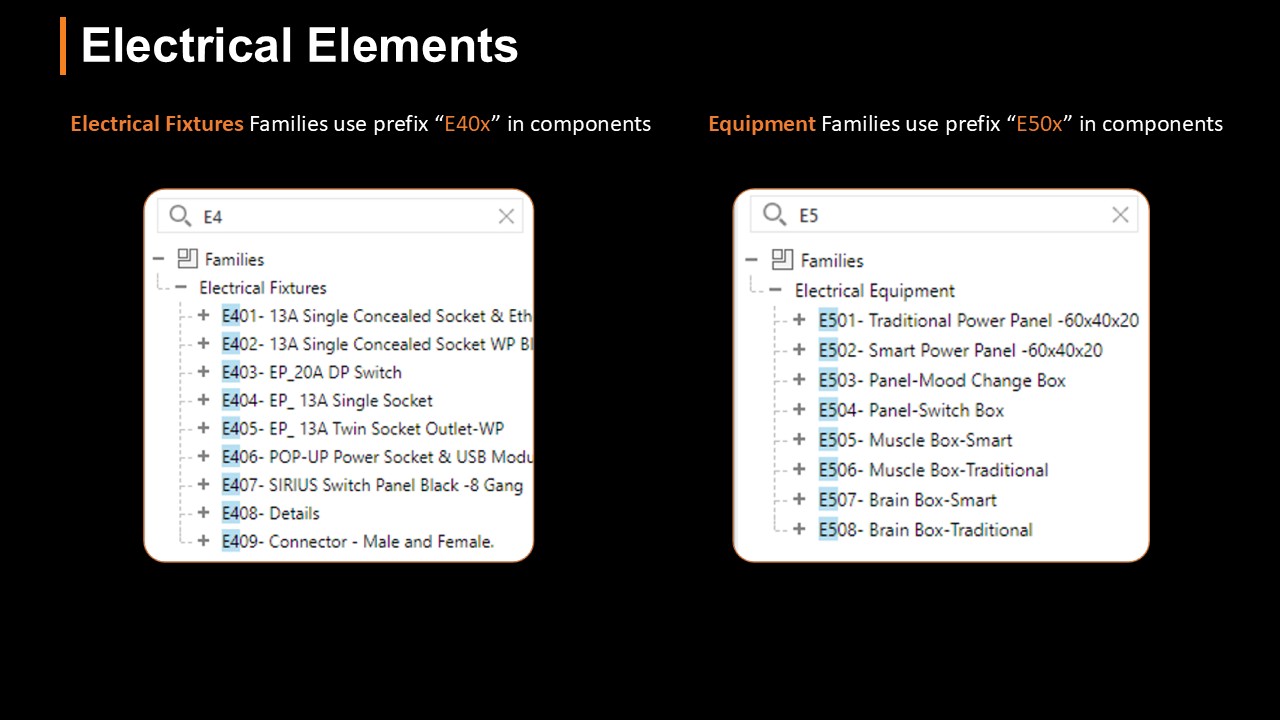
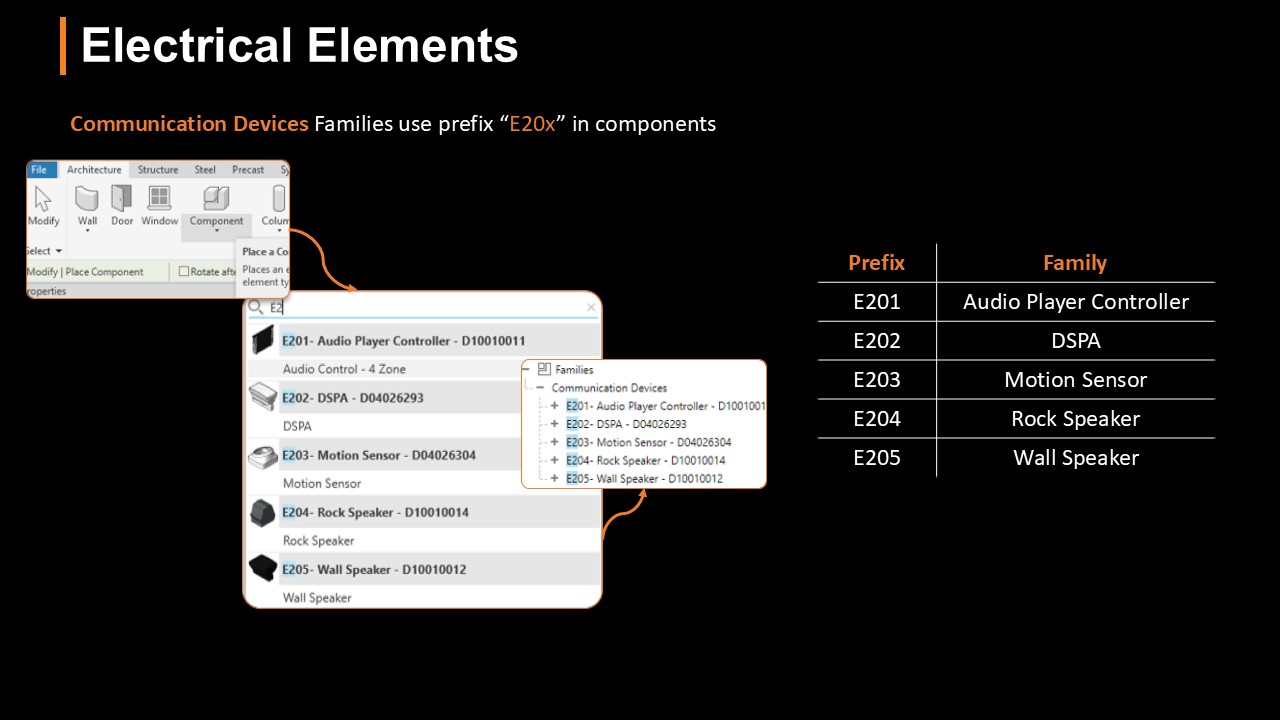
Implemented a strict prefix-based taxonomy for all elements. E.g., E10x for Lighting, E20x for Communication Devices, E40x for Electrical Fixtures, enabling accurate BOQ scheduling.
Value Delivered
-
Increased Efficiency Eliminated the need to jump between two separate templates, saving hours of setup and coordination time per project.
-
Enhanced Performance Reduced model file size and load times by stripping out 60+ redundant family files.
-
Reduced Human Error The hyper-organized Project Browser and standardized component naming practically eliminated the risk of designers using the wrong families or placing elements on incorrect sheets.