Dimensions Calculator
Automated calculation of element dimensions (L×W×H) with automatic parameter population and text note generation for construction documentation.
Dimensions Calculator Video Demonstration
Watch the Dimensions Calculator Dynamo script in action, demonstrating automated dimension calculation and parameter population.
Project Overview
This Dynamo script automates the calculation of element dimensions for construction documentation. It was specifically developed for the Outdoor Seating Area project at Ducon Industries, where precise dimension tracking was essential for material estimation and construction scheduling.
The script processes both split blocks (exterior elements) and solid blocks (interior support elements), automatically calculating their Length × Width × Height dimensions and populating shared instance parameters for schedule generation.
Key Features
- Automated Dimension Calculation: Extracts Length, Width, and Height from selected elements
- Parameter Population: Automatically fills "ITEM (L/W/H)" shared instance parameters
- Text Note Generation: Creates dimension labels above each element
- Schedule Integration: Enables automatic stone quantity calculation
- Dual Element Support: Handles both split blocks and solid blocks
- Unit Conversion: Converts dimensions to centimeters for consistency
Technical Implementation
- Element Selection: Uses "Select Model Elements" input for user selection
- Category Filtering: Filters elements by category and name patterns
- Parameter Extraction: Uses "GetParameterValueByName" for dimension values
- String Processing: Combines dimensions into "L×W×H" format
- Text Note Placement: Uses "TextNote.ByLocation" for dimension labels
Technical Specifications
Workflow Process
- Select elements using Dynamo Player interface
- Filter elements by category and name patterns
- Extract Length, Width, Height parameters
- Convert units to centimeters
- Format dimensions as "L×W×H" string
- Populate "ITEM (L/W/H)" shared parameters
- Generate text notes above elements
- Enable schedule creation for material estimation
Key Dynamo Nodes
- Select Model Elements: User element selection
- All Elements of Category: Category filtering
- String.StartsWith: Name pattern matching
- List.FilterByBoolMask: Element filtering
- GetParameterValueByName: Parameter extraction
- SetParameterValueByName: Parameter population
- TextNote.ByLocation: Text note creation
- Element.GetLocation: Position calculation
Project Impact
Time Reduction
Automated dimension calculation eliminates manual measurement and data entry
Accuracy
Eliminates human error in dimension calculation and parameter population
Automation
Consistent processing regardless of project size or complexity
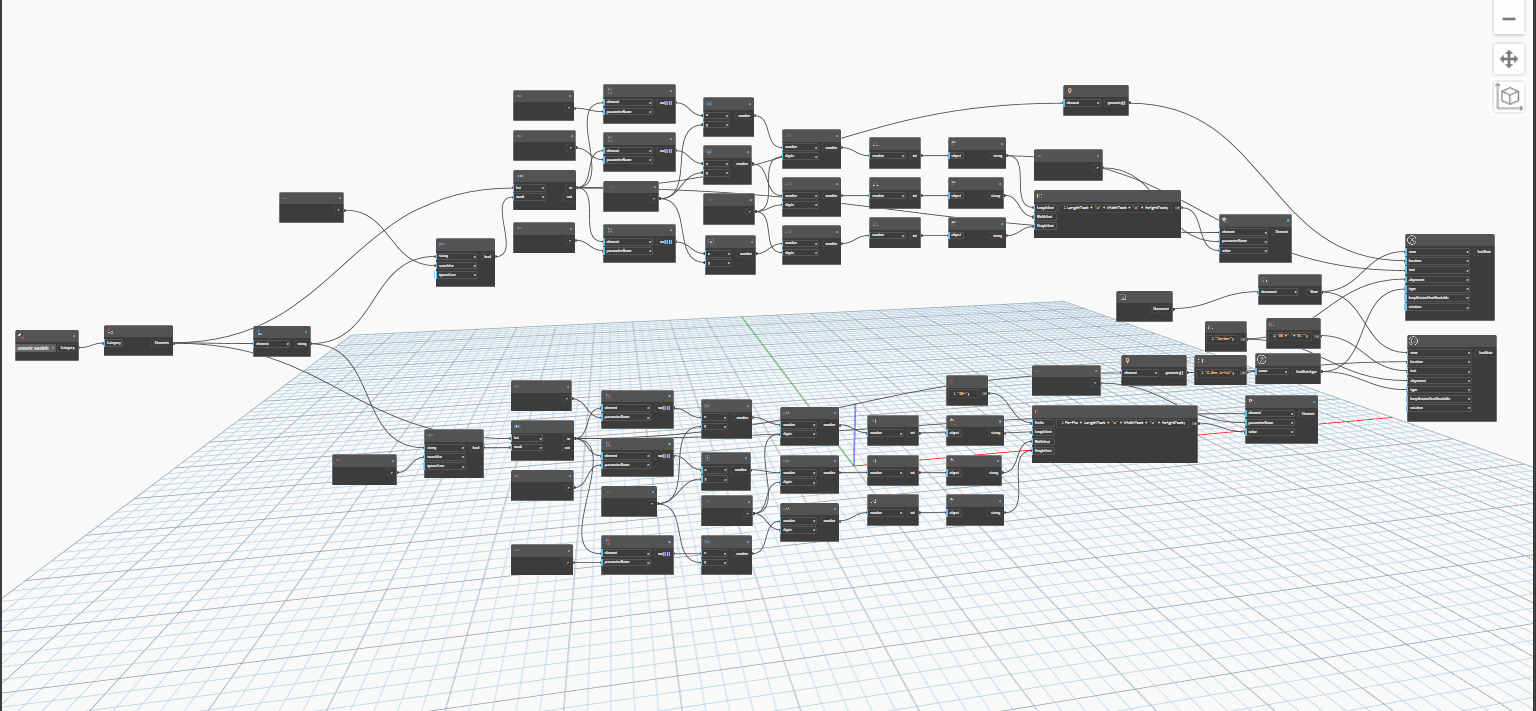
Dynamo Graph Overview
Complete visual programming graph showing the workflow from element selection to parameter population.
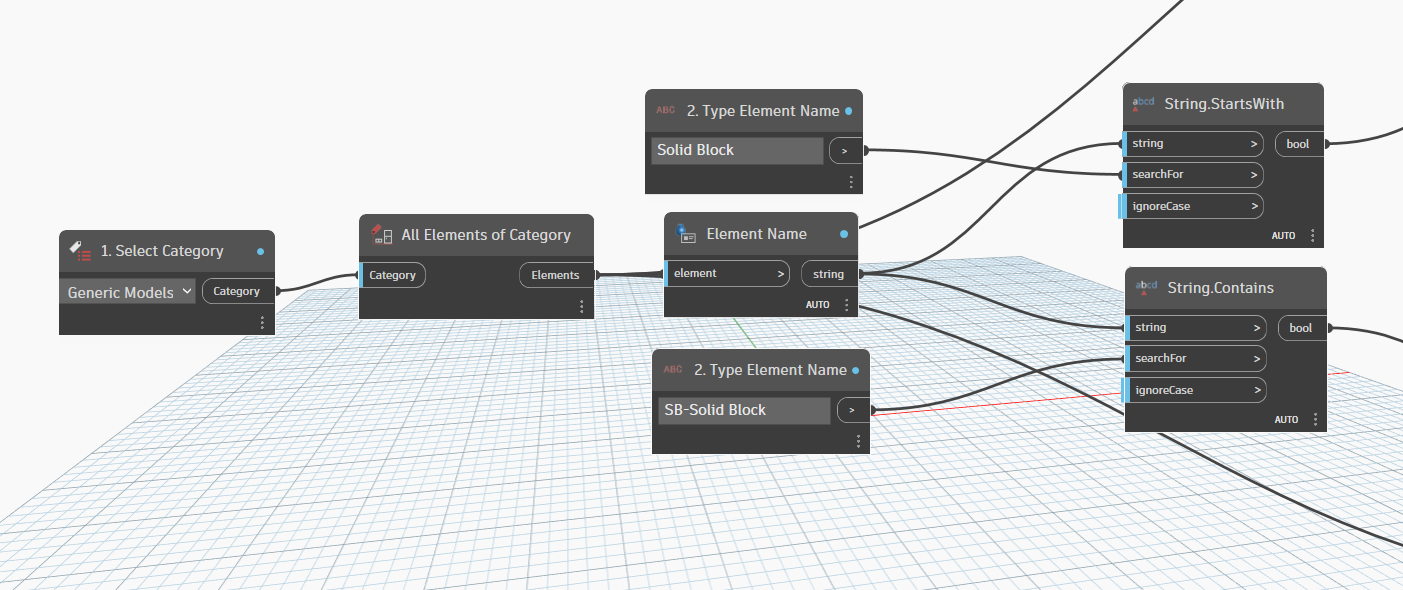
Element Filtering Logic
Advanced filtering system distinguishing between split blocks and solid blocks using string pattern matching.
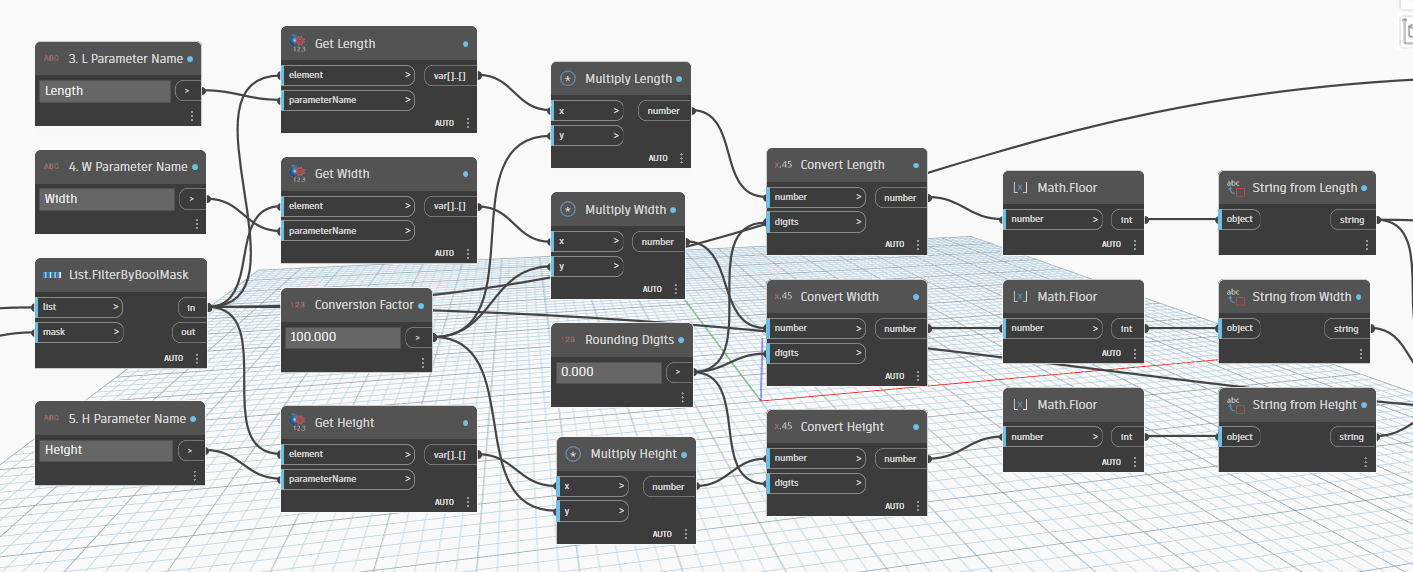
Parameter Processing
Dimension extraction and parameter population workflow with unit conversion and formatting.
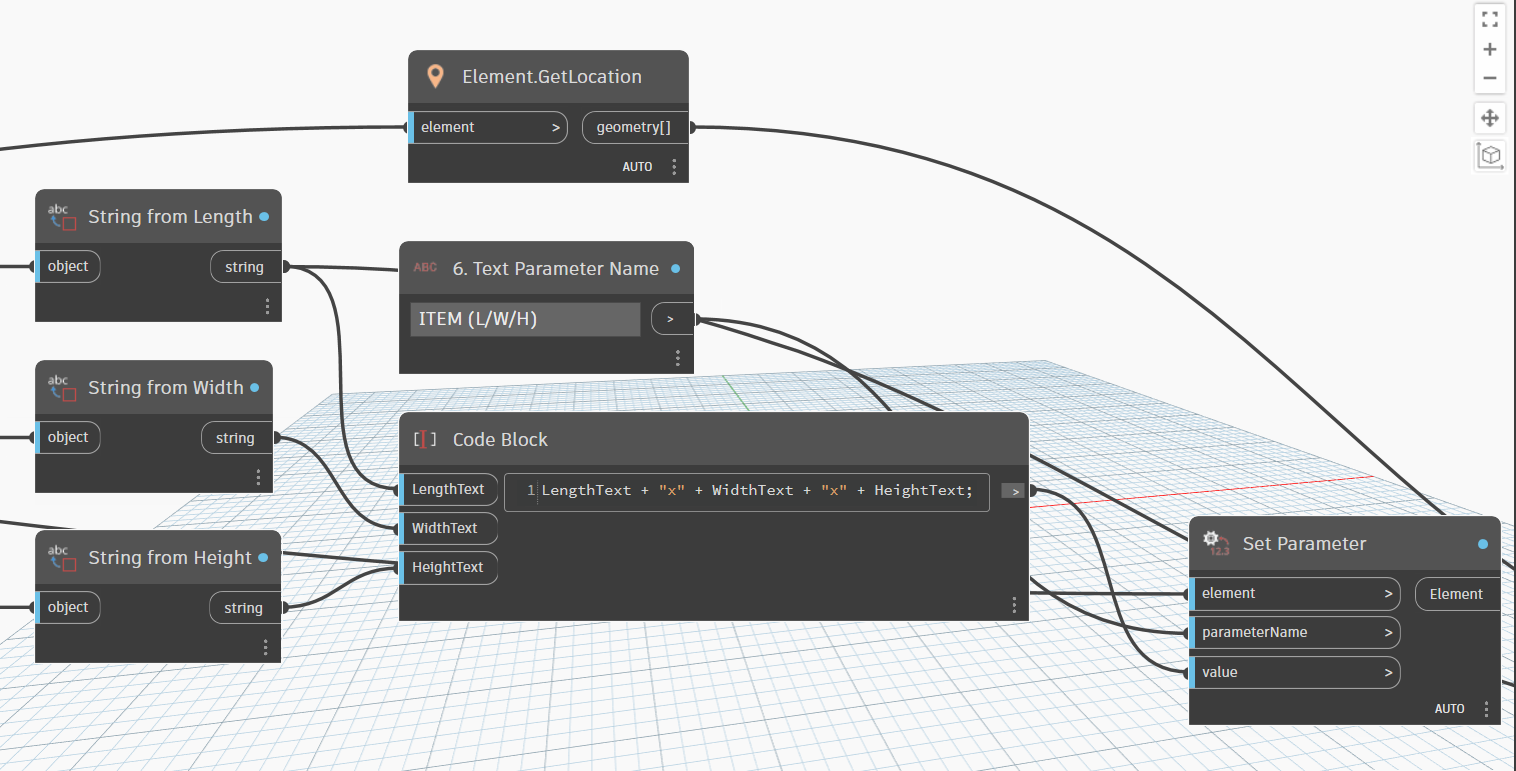
Adding Dimensions to Parameter
Process of populating the "ITEM (L/W/H)" shared instance parameter with calculated dimensions for schedule integration.
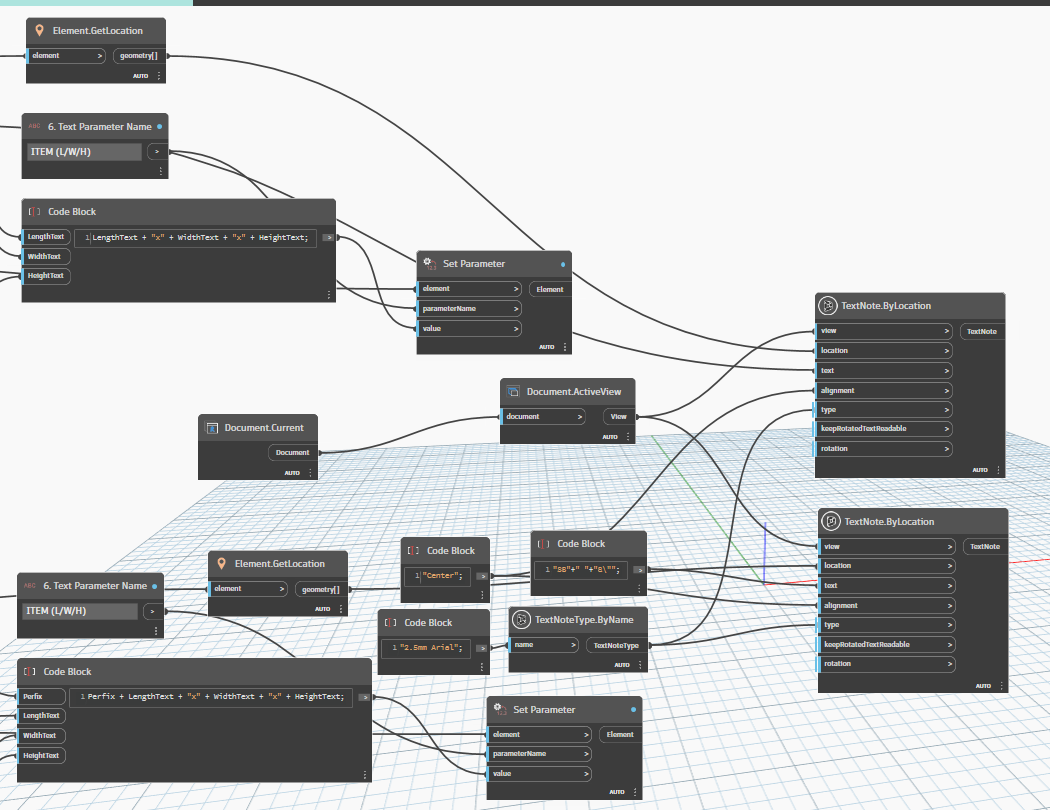
Text Note Generation
Automatic text note placement above elements showing calculated dimensions for construction documentation.