Theme Generator
Apply beautiful color schemes to Revit view templates with advanced customization and preset management.
Project Overview
Theme Generator (Colorizer) is a sophisticated Revit add-in designed to enhance the visual presentation of BIM models. Only available within the Pixy suite, it allows you to instantly apply professional color schemes to your view templates, making data visualization and model auditing both beautiful and functional.
With over 100 built-in presets across 30 categories, you can quickly visualize different aspects of your model. The tool also features a custom color picker for creating your own unique themes, which can be saved and shared across projects.
Key Features
- 100+ Built-in Presets: Professionally curated color themes across 30 categories
- Custom Theme Creation: Interactive color picker for custom schemes
- Preset Management: Save and load your own custom presets
- View Template Integration: Apply themes directly to view templates or individual views
- Smart Filtering: Options to filter interior objects and specific categories
- Advanced Assignment: Granular control over category visualization
Technical Implementation
- WPF & Modern UI: Sleek, responsive interface for color selection
- Revit Overrides API: Direct manipulation of view visibility and graphic overrides
- Serialization: JSON-based preset system for portable themes
- Color Harmony: Algorithmic generation of complementary color palettes
Theme Generator Demo
See how quickly you can transform the look of your Revit models with the Theme Generator.
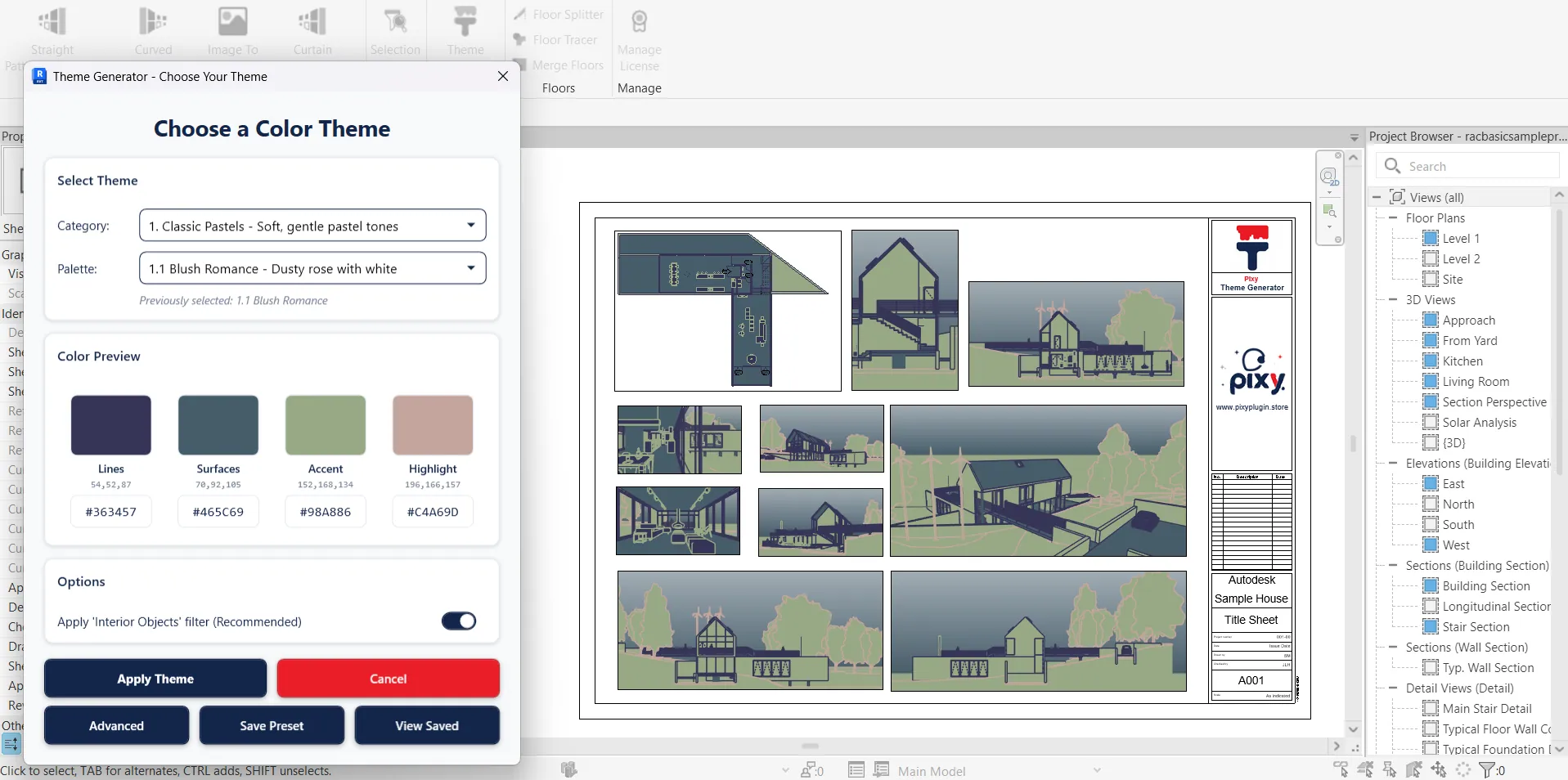
Theme Generator Interface
Intuitive interface for selecting presets and customizing color schemes.