
Image to Blocks
Turn an image into a mosaic of Revit elements.
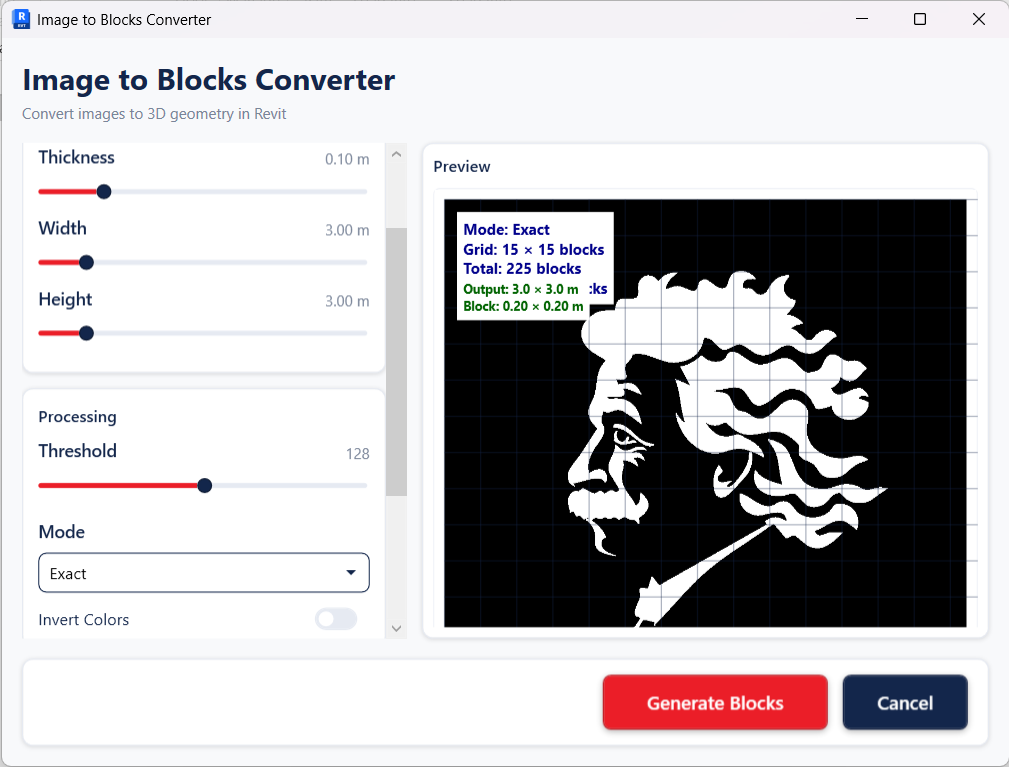
Generate panel
What it does
Converts an input image into a grid or mosaic of Revit blocks, each cell carrying its own colour.
Feature by feature
Capabilities
Mosaic conversion
Builds a grid of Revit blocks or elements with per-cell colour taken from the source image.
Computer-vision path
ImageToBlocksVision runs alongside the direct face and mesh path.
Revit-thread safety
Runs through a dedicated external event handler.
Related tools
More in the Generate panel
Geometric void and solid patterns on straight, curved and freeform host faces.
Structural shell grids and space-truss systems from any surface — mass, roof, floor or generic model.
External profile fins laid along a face’s UV, with motion that varies across the surface.
Kinetic-facade panels that respond to a driver such as sun angle.
Apply coordinated colour schemes to views and view templates.
Find and bulk-select elements by their parameters.